Every smart home device in your house depends on one thing: a reliable network connection. The smart switch that does not respond, the security camera that drops offline, the voice assistant that says "something went wrong" are almost always symptoms of inadequate network infrastructure rather than defective devices. For Northern Virginia homeowners with 30, 50, or even 100 connected devices competing for bandwidth, a consumer-grade router from the cable company is not going to cut it. This guide covers how to build a home network infrastructure that provides the speed, coverage, and reliability your smart home demands, from choosing the right ethernet cable to designing WiFi coverage and setting up a proper network closet.
Key Takeaways
- Hardwired ethernet connections provide the most reliable foundation for smart home hubs, streaming devices, and WiFi access points.
- Cat6a cable is the recommended standard for new installations, supporting 10-gigabit speeds that future-proof your network investment.
- Multiple hardwired WiFi access points with wired backhaul significantly outperform consumer mesh systems with wireless backhaul.
- A dedicated network closet with proper power, ventilation, and cable management keeps your infrastructure organized and maintainable.
- An uninterruptible power supply protecting network equipment maintains smart home functionality during brief power outages.
Why Wired Infrastructure Still Matters
Wireless technology has improved dramatically, but WiFi remains a shared medium subject to interference, congestion, and distance limitations. In a typical Northern Virginia home with multiple family members streaming video, kids gaming online, parents on video calls, and dozens of smart home devices communicating simultaneously, WiFi bandwidth gets stretched thin.
Hardwired ethernet connections eliminate these variables for devices that do not move. Your smart home hub, streaming boxes, gaming consoles, desktop computers, and most importantly your WiFi access points themselves should all be connected via ethernet. This reserves your WiFi bandwidth for devices that truly need wireless connectivity: phones, tablets, laptops, and wireless sensors.
The Backbone Principle
Think of your network like a highway system. Ethernet cables are the interstate highways, providing high-speed, high-capacity connections between major points. WiFi is the local roads, connecting the last stretch from access points to individual wireless devices. When the interstate is strong, the local roads do not get backed up. When you try to run everything over local roads without an interstate backbone, traffic jams are inevitable.
Ethernet Cable Selection
The cable you install in your walls today needs to support your needs for the next 15 to 20 years. Choosing the right category now avoids a costly rewiring project later.
Whether it is a simple repair or a major electrical project, our licensed team is ready to help. Serving all of Northern Virginia with transparent pricing and expert workmanship. Call (703) 997-0026 today.
Cat6 vs Cat6a
Cat6 cable supports gigabit speeds (1 Gbps) up to 328 feet and 10-gigabit speeds up to 164 feet. For most current residential applications, Cat6 is adequate. Cat6a extends 10-gigabit support to the full 328 feet and provides better shielding against crosstalk. The cost premium for Cat6a over Cat6 is roughly 20 to 30 percent for materials, which is marginal when you factor in that labor is the majority of installation cost.
Our recommendation for Northern Virginia homeowners is Cat6a for any new installation. The incremental cost is minimal, and you avoid the possibility of needing to replace cables when 10-gigabit networking becomes standard in homes, which is already happening with WiFi 7 access points that can saturate a gigabit connection.
Solid Core vs Stranded
Always use solid-core cable for permanent in-wall runs. Solid-core cable maintains signal integrity over longer distances and terminates reliably in wall jacks and patch panels. Stranded cable is more flexible and is used for patch cables that connect devices to wall jacks. Using stranded cable for in-wall runs is a common DIY mistake that leads to signal issues over time.
Plenum-Rated Cable
If cables run through air-handling spaces such as drop ceilings, return air plenums, or HVAC chases, building code requires plenum-rated cable. Plenum cable uses a special jacket that produces less toxic smoke if it burns. Most residential runs through standard walls and attics do not require plenum rating, but it is worth confirming with your local building code.
Pro Tip: Label both ends of every cable run during installation. Use a consistent naming convention like "MBR-1" for master bedroom run 1 and "OFC-2" for office run 2. This makes troubleshooting and reconfiguration vastly easier years down the road. A label maker and cable tags are small investments that save hours of confusion later.
WiFi Access Point Strategy
The days of a single WiFi router serving an entire home are over, especially for the larger homes common in Fairfax, Loudoun, and Prince William Counties where 3,000 to 5,000 square feet of living space is not unusual.
Access Points vs Mesh Systems
Consumer mesh systems like Eero, Google Nest WiFi, and Orbi are designed for easy setup and use wireless backhaul between nodes. While convenient, wireless backhaul means each hop between nodes cuts available bandwidth roughly in half. A far superior approach is hardwired access points, where each access point connects to your network via ethernet cable. This provides full bandwidth at every access point and eliminates the performance degradation of wireless backhaul.
Access Point Placement
For most Northern Virginia homes, plan one ceiling-mounted access point per floor, positioned centrally. A two-story colonial with a finished basement would have three access points: one in the basement ceiling, one in the first-floor ceiling near the center of the home, and one in the second-floor ceiling. For larger homes or those with challenging layouts, additional access points may be needed. Exterior areas like patios, decks, and detached garages may benefit from an outdoor-rated access point as well.
Recommended Access Point Brands
Ubiquiti UniFi access points are the gold standard for residential installations that approach commercial quality. They offer excellent performance, a unified management interface, and competitive pricing. TP-Link Omada offers a similar approach at a slightly lower price point. Both brands support PoE (Power over Ethernet), meaning the access point receives its power through the ethernet cable and does not need a separate electrical outlet at the ceiling mount location.
Network Closet Design
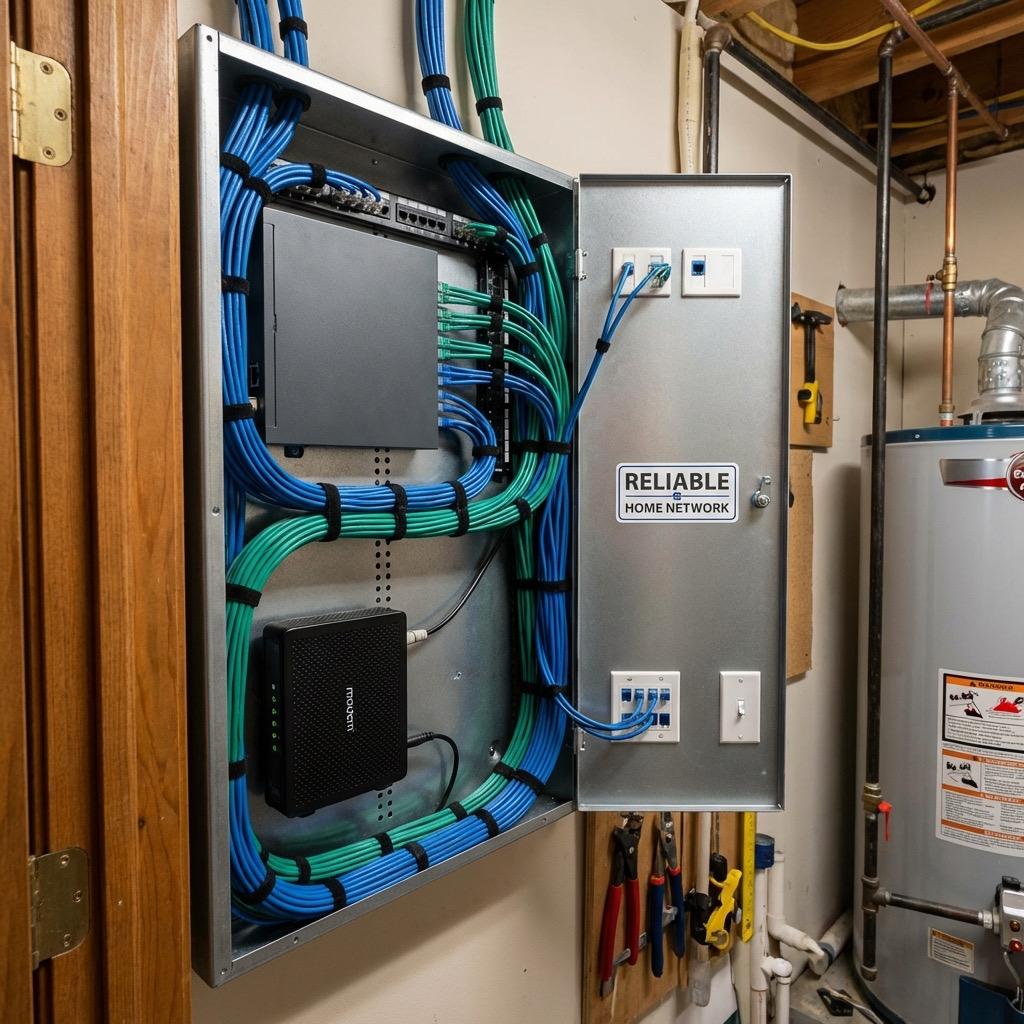
Every well-designed home network needs a central location where all cables terminate, equipment resides, and management happens. This does not need to be a large space, but it does need to be thoughtfully set up.
Location Selection
The ideal location is a closet, utility room, or dedicated space in a climate-controlled area of your home. Basements work well in many Northern Virginia homes, though moisture should be considered. Avoid garages where temperature extremes can stress electronic equipment, and avoid locations far from your internet service provider's entry point to minimize the run from the ISP equipment to your network closet.
Essential Components
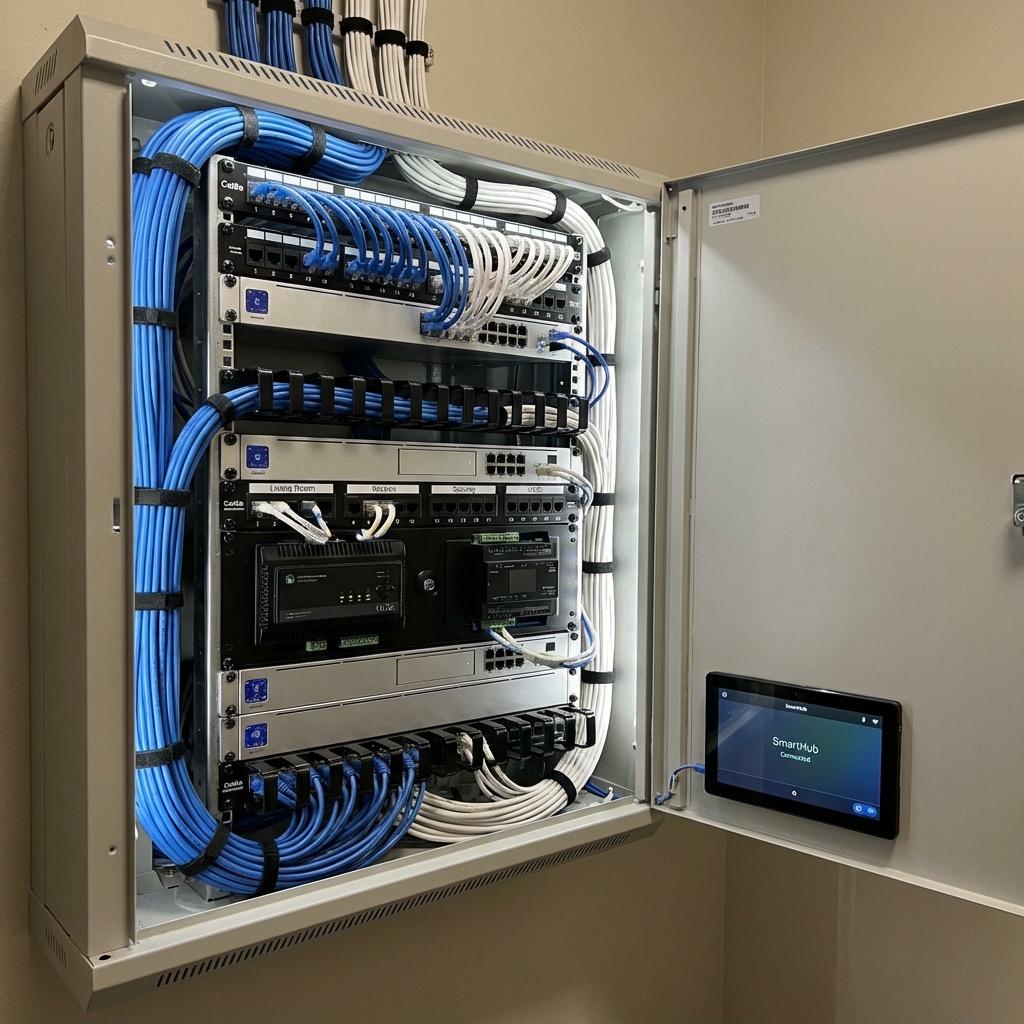
A properly set up network closet includes a wall-mounted rack or structured media panel for organizing equipment, a patch panel where all in-wall ethernet cables terminate, a managed network switch with enough ports for all wired devices plus room for growth, your router or firewall appliance, your ISP modem or ONT, a UPS for power backup, and adequate ventilation or a small fan since networking equipment generates heat that can cause premature failure in confined spaces.
Electrical Requirement: Your network closet needs a dedicated 20-amp circuit to power all networking equipment. This prevents network outages caused by someone tripping a shared breaker with a vacuum cleaner or space heater. A licensed electrician can install a dedicated circuit if one does not already exist.
Power Backup for Network Equipment
A UPS (uninterruptible power supply) is essential for maintaining network operation during power outages. Northern Virginia experiences several significant outages per year from summer thunderstorms and winter weather. A UPS rated for 750VA to 1500VA provides 30 to 60 minutes of runtime for typical network equipment, which covers the majority of brief outages and provides time for graceful shutdown during extended outages.
With a UPS protecting your network closet, your internet connection, WiFi, and smart home hub continue operating during brief power interruptions. This means your security cameras keep recording, your smart locks remain controllable, and your phone notifications continue working when you need them most.
Network Security Basics
A smart home network is only as secure as its configuration. At minimum, create a separate WiFi network (VLAN or guest network) for IoT devices isolated from your primary computers and phones. Keep all firmware updated. Use strong, unique passwords for your router, access points, and all smart home device accounts. Enable WPA3 encryption on your WiFi networks where supported.
Ready to build a rock-solid network for your smart home? AJ Long Electric installs structured network wiring, dedicated circuits for network closets, and the electrical infrastructure that reliable home networking requires. Serving homeowners throughout Northern Virginia, our licensed electricians ensure your network foundation is as solid as your electrical foundation. Contact us today to plan your home network infrastructure project.
Tags:

Written by
Matt Long
Master Electrician
Our team of licensed electricians brings over 40 years of combined experience serving Northern Virginia. We're committed to providing expert electrical solutions with a focus on safety, quality, and customer satisfaction.
Reviewed by AJ Long Electric Master Electricians · VA License #2705031092 · View Credentials