With remote work becoming permanent for many professionals in the Washington, D.C. metropolitan area, home office lighting has moved from afterthought to essential consideration. Poor lighting causes eye strain, headaches, and fatigue that undermine productivity and wellbeing. Good lighting, by contrast, keeps you alert, reduces physical strain, and even makes you look professional on video calls. At AJ Long Electric, we help homeowners across Fairfax, Arlington, Loudoun, and Prince William counties create home offices with professional-quality lighting that supports productive, comfortable work from home.
Key Takeaways
- Optimal workspace lighting includes ambient, task, and bias lighting layers that work together to reduce eye strain and boost focus.
- Position your desk perpendicular to windows to control daylight glare, and avoid overhead fixtures directly above computer monitors.
- Bias lighting behind monitors reduces the contrast between screen and surroundings, significantly decreasing eye fatigue during long work sessions.
- Use 4000-5000K color temperature during work hours for alertness and cognitive performance, with warmer options for evening sessions.
- Video conferencing requires soft, diffused light from in front of and slightly above your face for a professional appearance on camera.
The Impact of Lighting on Work Performance
Research consistently shows that lighting affects cognitive performance, mood, and physical comfort. Optimal workspace lighting provides sufficient brightness for reading documents and typing, eliminates screen glare and reflections, offers appropriate color temperature for alertness and focus, and includes adjustable elements for changing needs throughout the day. Studies have found that workers in well-lit environments make fewer errors, maintain focus longer, and report higher job satisfaction than those working in poorly lit spaces.
Eye Strain and Digital Fatigue
Most remote workers spend 6-10 hours per day looking at screens. When the surrounding environment is significantly darker or brighter than the screen, the eyes constantly adjust, leading to fatigue, headaches, and blurred vision. Proper home office lighting minimizes this contrast, keeping the ambient light level within a comfortable range relative to screen brightness. The American Academy of Ophthalmology recommends that the ambient light in a workspace be roughly equal to the brightness of the screen to reduce eye strain. For Northern Virginia professionals who work long hours remotely, investing in proper home office lighting is an investment in both productivity and long-term eye health.
Did You Know? Northern Virginia is home to one of the highest concentrations of remote workers in the country, with many professionals in the tech, government contracting, and consulting sectors working from home full-time. A well-lit, dedicated home office has become as important to property value in Fairfax and Arlington counties as a renovated kitchen or updated bathroom.
Layered Lighting for Home Offices
Ambient Lighting
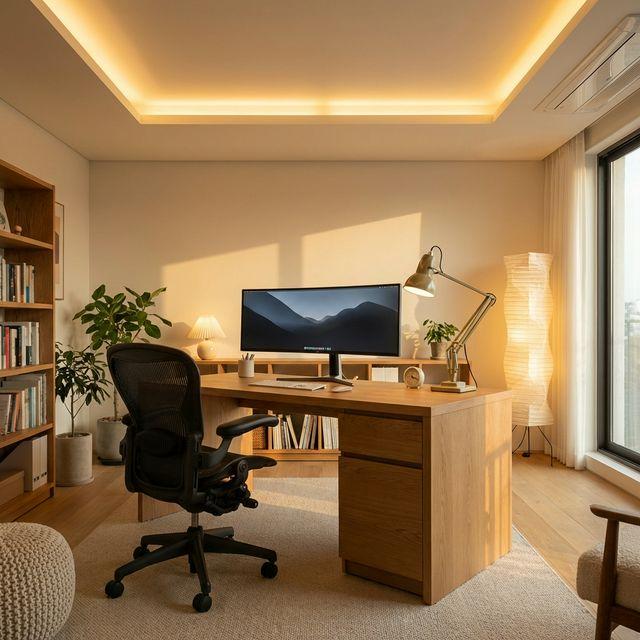
Ambient lighting provides overall illumination that makes the space comfortable and reduces contrast with your computer screen. In home offices, ambient lighting should be softer than direct task lighting, creating a pleasant background glow rather than harsh brightness. Avoid placing bright ambient fixtures directly above or behind your monitor, as this creates either glare on the screen or a bright halo effect that makes the screen harder to read. Indirect ambient lighting from cove lights, wall sconces, or upward-facing fixtures that bounce light off the ceiling provides the most comfortable background illumination for computer work.
Whether it is a simple repair or a major electrical project, our licensed team is ready to help. Serving all of Northern Virginia with transparent pricing and expert workmanship. Call (703) 997-0026 today.
Task Lighting
Task lighting provides focused illumination for specific work areas. A quality desk lamp illuminating your keyboard, documents, and reference materials is classic task lighting. Position task lights to the side of your work area, ideally opposite your dominant hand, to prevent your hand from casting shadows while writing. Adjustable desk lamps with swing arms allow you to direct light exactly where needed and move it out of the way when not required. For dual-monitor setups common among Northern Virginia tech professionals, a long desk lamp or LED bar light that spans the full desk width provides even illumination across the entire workspace.
Bias Lighting
Behind-the-monitor lighting, known as bias lighting, reduces eye strain by lowering the contrast between the bright screen and dark surroundings. LED strips affixed to the back of monitors create a soft glow on the wall behind the screen, making the transition from screen to wall less jarring to your eyes. Bias lighting should be in the 6500K range for accurate screen color representation, though some users prefer warmer tones for comfort. The brightness should be subtle, approximately 10-20% of the screen's peak brightness, just enough to soften the contrast without creating a distracting glow.
Pro Tip: If you experience headaches or eye fatigue after long work sessions, bias lighting is often the single most impactful improvement you can make. A $15-30 LED strip behind your monitor can dramatically reduce eye strain. Combine this with a quality desk lamp positioned to your side and indirect ambient lighting, and your eyes will thank you at the end of every workday.
Managing Monitor Glare
Screen glare is the primary enemy of comfortable computer work. Glare occurs when light sources reflect off the monitor surface, creating bright spots that compete with the displayed content and force your eyes to work harder. Managing glare requires attention to both natural and artificial light sources.
Window and Daylight Management
Position your desk perpendicular to windows so that daylight enters from the side rather than shining directly on the screen or creating a bright backlight behind you. Use window coverings such as blinds, sheer curtains, or solar shades to control daylight intensity throughout the day. In Northern Virginia, where the sun angle changes dramatically between summer and winter, adjustable window treatments are essential for consistent glare management year-round.
Artificial Light Positioning
Avoid positioning overhead fixtures directly above your monitor, as the light will reflect off the screen surface. Indirect ambient lighting from wall-mounted fixtures, cove lighting, or upward-facing floor lamps eliminates this problem by bouncing light off the ceiling. If your home office has existing recessed lighting positioned above the desk, installing a dimmer allows you to reduce the overhead brightness to a comfortable level while supplementing with properly positioned task lighting.
Video Conferencing Lighting
Looking Professional on Camera
For the video calls that have become a daily part of remote work, lighting determines how professional you appear to colleagues and clients. Have the main light source in front of you rather than behind you, as backlighting creates a silhouette effect that obscures your face. Use soft, diffused light to avoid harsh shadows under your eyes, nose, and chin. Position lights at or slightly above eye level for the most flattering angle. Avoid mixed color temperatures in the frame, as they create unnatural color casts on camera.
Practical Video Lighting Solutions
A simple ring light or LED panel positioned behind your monitor provides even, flattering face illumination without requiring additional desk space. For a more permanent solution, wall-mounted adjustable sconces or ceiling-mounted fixtures aimed at the area behind the camera provide consistent, attractive lighting without the clutter of portable equipment. Many Northern Virginia professionals who participate in frequent video calls invest in dedicated video lighting as part of their home office setup.
Color Temperature for Productivity
Color temperature plays a significant role in alertness and cognitive performance. Research suggests that cooler color temperatures of 4000-5000K promote alertness and focus during work hours, making them ideal for home office task lighting. Warmer temperatures of 2700-3000K are more relaxing and better suited for evening work sessions when you want to wind down before bed. Tunable white fixtures that adjust color temperature throughout the day offer the best of both worlds, supporting your circadian rhythm while optimizing performance during work hours.
Professional Home Office Lighting in Northern Virginia
At AJ Long Electric, we help create home office lighting that supports productivity and comfort for the long hours that remote work demands. From adding dedicated electrical circuits for your office equipment to installing specialty work lighting, bias lighting, and video conferencing illumination, we provide solutions tailored to your specific work style and room configuration. Our electricians serve homeowners throughout Fairfax, Arlington, Loudoun, and Prince William counties.
Contact AJ Long Electric to discuss lighting improvements for your home office. Whether you need a complete lighting design for a new dedicated office space or targeted upgrades to an existing workspace, our team will help you create an environment that supports your best work every day.
Tags:

Written by
AJ Long Electric Team
Licensed Electricians
Our team of licensed electricians brings over 40 years of combined experience serving Northern Virginia. We're committed to providing expert electrical solutions with a focus on safety, quality, and customer satisfaction.
Reviewed by AJ Long Electric Master Electricians · VA License #2705031092 · View Credentials